v0.2.2 - Escape Menu, Performance Mode & Stage Pop-out
A game-style pause menu, a new performance mode for lower-end devices, pop-out windows for stage participants, and various avatar fixes.
 By Mario Jankovic
 v0.2.2 - Escape Menu, Performance Mode & Stage Pop-out
This update leans into the game-like feel of Glint with a proper pause menu, adds a performance mode for anyone who wants a snappier experience, and makes it easier to focus on individual stage participants.
🎉 New Features
Escape Menu
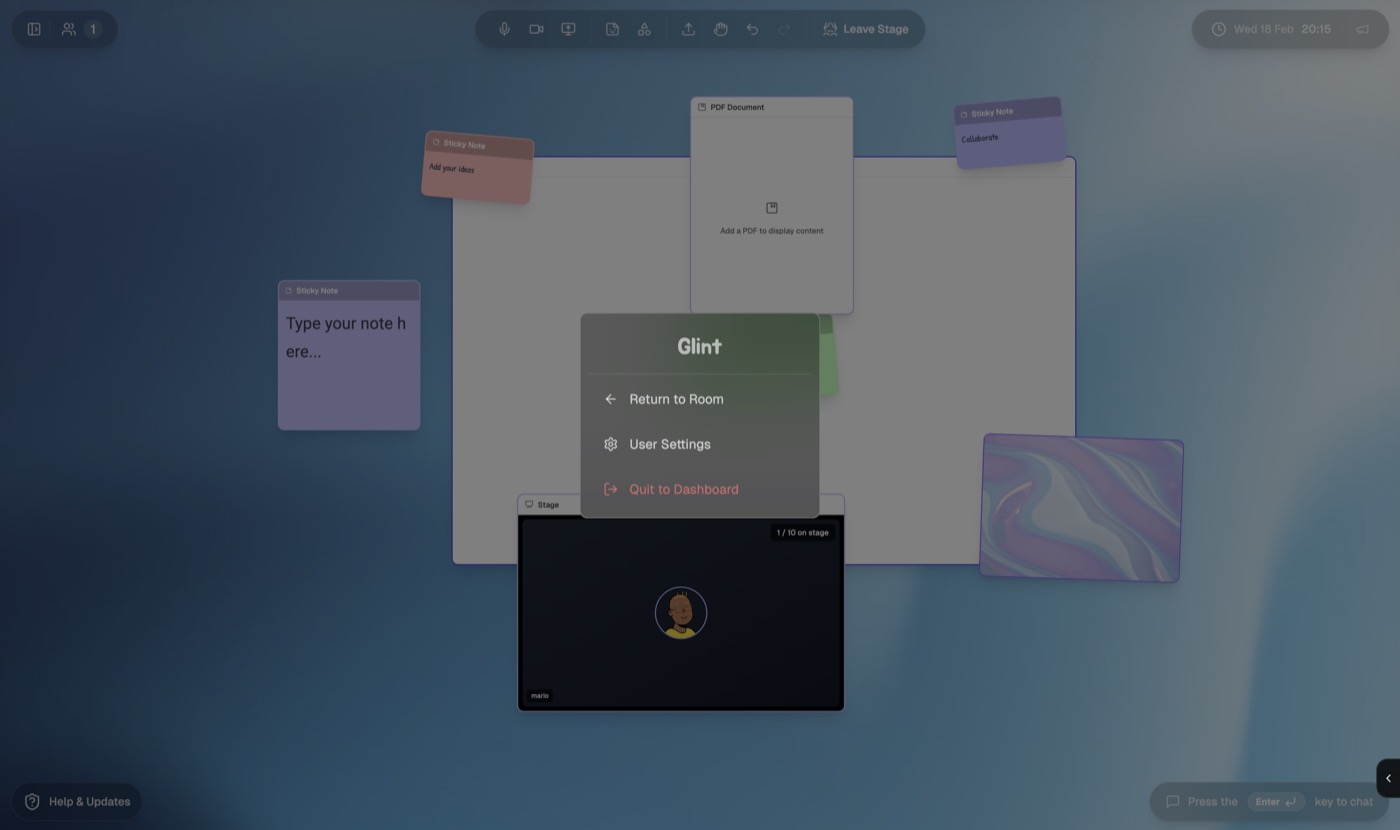
Press Escape in any room and you’ll see a clean pause-style menu with three options:
- Return to Room — dismiss the menu and get back to what you were doing
- User Settings — jump straight into your profile and preferences
- Quit to Dashboard — leave the room entirely
The menu respects everything else that’s happening — if a sidebar is open, a shape is selected, or you’re in drawing mode, Escape handles those first. The pause menu only appears when there’s nothing else to dismiss.
Performance Mode
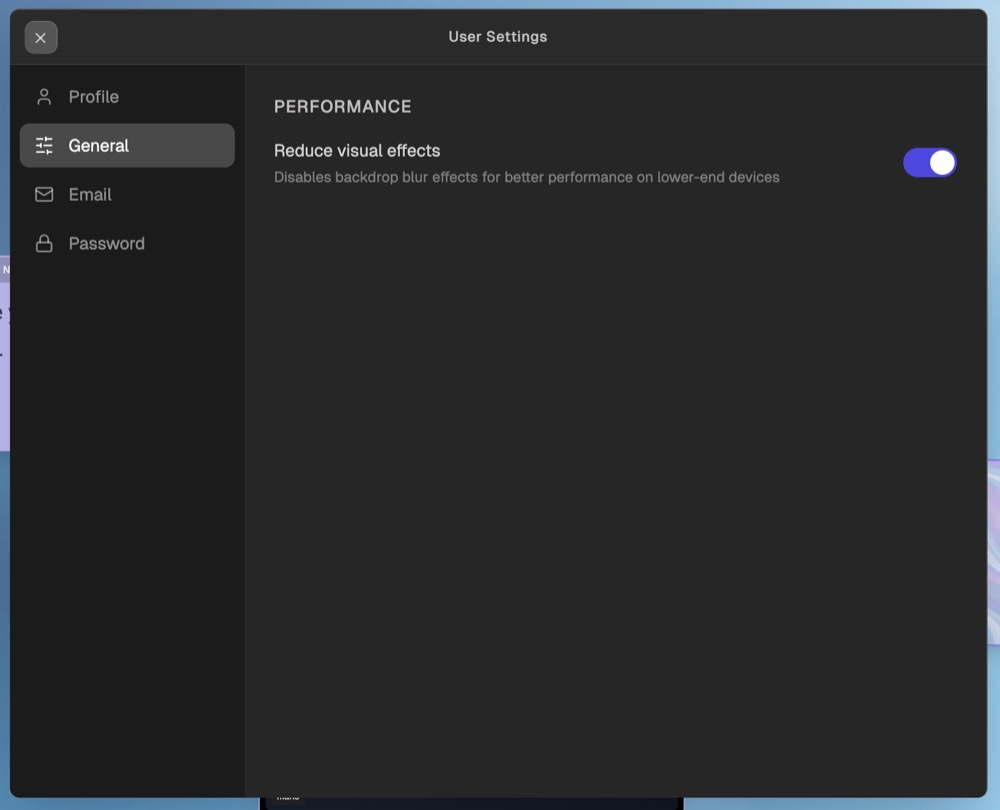
Not every device loves backdrop blur. We’ve added a Performance Mode toggle under the new General tab in User Settings.
When enabled, it globally strips away backdrop-blur effects and replaces them with solid backgrounds, so glass-style panels, sidebars, and overlays all still look intentional — just without the GPU cost. The setting is saved to your account and kicks in immediately on page load, so there’s no flash of blurry UI before it switches over.
Stage Pop-out View
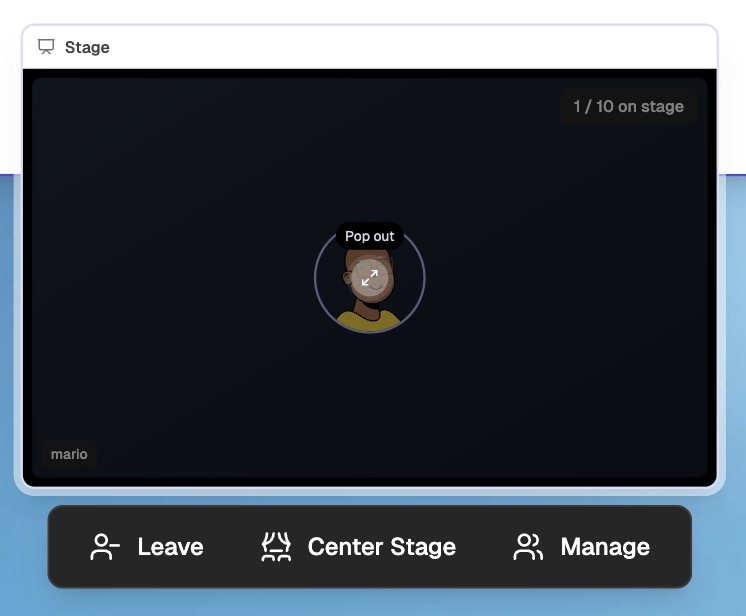
You can now hover over any participant on a stage and pop them out into their own draggable, resizable window. Whether they’re sharing their screen, broadcasting their camera, or just sitting there with their avatar — hover to reveal the expand button, click, and you get a dedicated view.
- Screen share priority — if someone is sharing their screen, that takes center stage with their camera in a small picture-in-picture overlay
- Smart resource management — when a pop-out window is open, the stage tile underneath stops rendering video to avoid decoding the same streams twice
Undo & Redo for Shapes
You can now Ctrl+Z to undo and Ctrl+Shift+Z to redo changes to shapes on the canvas. Whether you’ve moved, resized, rotated, added, or deleted something — the last 50 actions are tracked and fully reversible. Batch operations (like deleting multiple selected shapes) undo as a single step.
✨ Improvements
General Tab in User Settings
User Settings now has a General tab sitting between Profile and Email. Right now it’s home to the performance mode toggle, and it’s where we’ll add more preferences over time.
🐛 Bug Fixes
Screen Share Audio
Screen shares now properly carry audio. If someone is sharing a tab or window with sound, other participants will hear it — no more silent presentations.
Avatar Consistency
Fixed an issue where avatar changes (profile pictures, avatar configurations) wouldn’t always propagate correctly to other participants in real time. The underlying cause was a subtle ordering issue in how metadata updates were processed — now resolved, so your avatar updates are reflected immediately for everyone in the room.
A mix of comfort features and under-the-hood fixes. If you’re on a laptop that runs warm during calls, give performance mode a try — it makes a noticeable difference.
Ready to try these features?
Join our waitlist to get early access to all these features and more.