 15 Virtual Halloween Party Ideas for Friends Who Live Far Away
 15 Virtual Halloween Party Ideas for Friends Who Live Far Away
Virtual Halloween party ideas that feel like a real night together: synced horror movies, spooky games, a costume reveal, a haunted room to decorate and more. Most are free.
 By Mario Jankovic 8 min read
 The best virtual Halloween party ideas give everyone something to do at the same time, not just a video call where people wave in costume. Watch a horror movie in sync, play a spooky game, carve pumpkins against a timer or decorate a haunted room together, and a call starts to feel like a night out. Most of the 15 ideas below are free and work in a browser, so it doesn’t matter who lives where.
Halloween falls on a Saturday this year, October 31, 2026, which makes it an easy night to get friends in different cities online together. Here’s how to fill the evening.
What makes a virtual Halloween party fun?
A good virtual Halloween party has a plan, a shared activity and one small surprise. The plan is just a start time and two or three things you’ll do, so the evening has a shape. The shared activity gives people something to react to together, which keeps the conversation going when the costume compliments run out. The surprise (a prize, a candy box in the mail, a scare in the movie nobody saw coming) is what people remember.
Keep it to six people or fewer per group if you can. Bigger calls turn into one person talking while everyone else waits. If more friends want to come, split into rooms and swap halfway through.
Which virtual Halloween party ideas are best at a glance?
| Idea | Best for | Cost | What you need |
|---|---|---|---|
| Horror movie in sync | Any group | Your streaming plan | Teleparty or a synced player |
| Costume reveal and awards | Groups that dress up | Free | A video call |
| Co-op ghost hunting game | Gamers | Paid game | Phasmophobia or Lethal Company |
| Spooky drawing games | Mixed groups | Free | Gartic Phone or skribbl.io |
| Decorate a haunted room | Cozy, creative nights | Free | Glint in a browser |
| Pumpkin carving race | Hands-on groups | A pumpkin each | A knife, a spoon, a timer |
| Ghost stories with the lights off | Late nights | Free | A video call and a candle |
| Hide the ghost | Friends in different time zones | Free | A shared room that stays |
What are the best virtual Halloween movie night ideas?
A movie is the easiest anchor for the night. Everyone presses play at the same moment and reacts together, so nobody has to carry the conversation.
1. Watch a horror movie in sync
For Netflix and a few other streaming services, Teleparty syncs playback for everyone and adds a chat on the side. For YouTube, pick a player that syncs play, pause and skipping for the whole group. In Glint you can put any YouTube video in a room and watch it together while you talk over voice.
Pick the scare level for the group, not for the bravest person in it:
- Cozy: Hocus Pocus (1993), The Nightmare Before Christmas (1993), Practical Magic (1998)
- Spooky but fun: Beetlejuice (1988), Coraline (2009), Scream (1996)
- Actually scary: Halloween (1978), The Others (2001), Get Out (2017)
2. Run a scream counter
Pick one person to count every jump scare and every time someone screams. Put the tally in the chat. Whoever screamed least gets to pick next year’s movie. It turns a scary movie into a game, and it makes the quiet friends talk.
3. Watch a block of horror shorts
If a full movie is too long for your group, line up a few short horror films on YouTube instead. Short films finish before attention drifts, and you get to argue about which one was best between each one.
What games can you play at a virtual Halloween party?
Games keep a call lively, especially for groups where not everyone knows each other well. Here are ones that work over video, from free browser games to proper horror.
4. Play a co-op ghost hunting game
Phasmophobia sends up to four players into haunted houses to work out what kind of ghost lives there, using real voice chat that the ghost can hear. Lethal Company is a cheaper, sillier option for up to four players. Both are paid games on PC, and Phasmophobia is on consoles too. For a free option on phones, Among Us still works for big groups.
5. Draw spooky things badly
Gartic Phone is a free browser game where drawings and guesses get passed around until a vampire somehow becomes a pineapple. skribbl.io is a free drawing and guessing game where you can add your own word list, so make it all Halloween words: werewolf, haunted house, candy corn, ghost dog.
6. Host Halloween trivia
Write 20 questions about horror movies, Halloween history and candy, and run them on Kahoot!, which has a free plan. Mix easy questions with a few impossible ones so the scores stay close until the last round.
7. Play a murder mystery
Murder mystery kits give every guest a character, a secret and a costume idea, and you can run the whole thing over video. Send the character sheets a few days before so people can dress up. It works best with four to eight players and a host who doesn’t mind being the dramatic one.
8. Tell a ghost story one sentence at a time
Turn the lights off, light a candle and go around the call. Each person adds one sentence to the same ghost story. It gets scary, then ridiculous, then scary again. Record it if your friends agree, because you’ll want to hear it again next year.
What are cozy virtual Halloween ideas that aren’t scary?
Not everyone wants to be scared. These ideas are more about making something together, and they’re good for groups with kids, partners or anyone who sleeps with the lights on.
9. Decorate a haunted room together
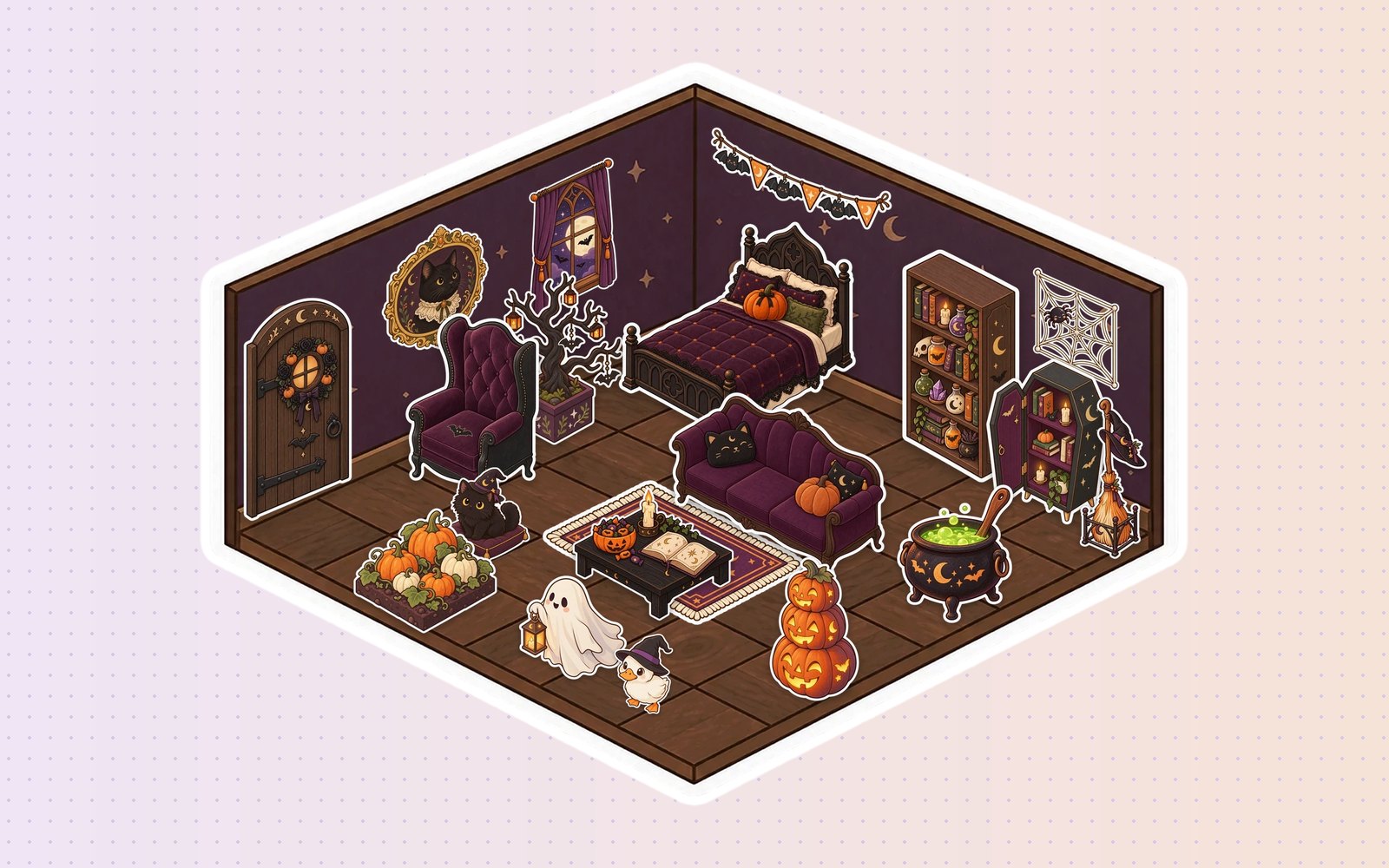
In Glint, friends build a room tile by tile and decorate it with stickers while they talk. This October there’s a free Halloween series in the sticker album: a bubbling cauldron, a potion shelf, a coffin cabinet, carved jack-o’-lanterns, a black cat in a witch hat and a very friendly ghost. Give everyone ten minutes to decorate one corner, then vote for the spookiest. The room stays exactly how you left it, so it’s still there on November 1.
You can try a room without signing up, or create a free account to keep a room and invite friends with a link. You can also build the room together from scratch first.
10. Have a pumpkin carving race
Everyone buys a pumpkin, sets up their phone against something steady and carves at the same time. Set a timer for 30 minutes, then light the candles and do the reveal together. Award prizes for scariest, funniest and “what is that”.
11. Do a costume reveal with awards
Ask everyone to join with their camera off, then turn cameras on one at a time for the reveal. Hand out awards at the end: best costume, most effort, best last-minute costume made from things in the kitchen. A paper crown in the mail for the winner is a nice touch.
12. Bake the same spooky treat
Pick one recipe, share the ingredient list a few days before, and bake together on video. Ghost meringues, pumpkin muffins and mummy hot dogs are all easy. Eat them at the same moment and compare whose ghosts look most like ghosts.
What virtual Halloween ideas work across time zones?
When friends are spread across time zones, a live party is hard. These ideas let everyone join in on their own time.
13. Hide the ghost
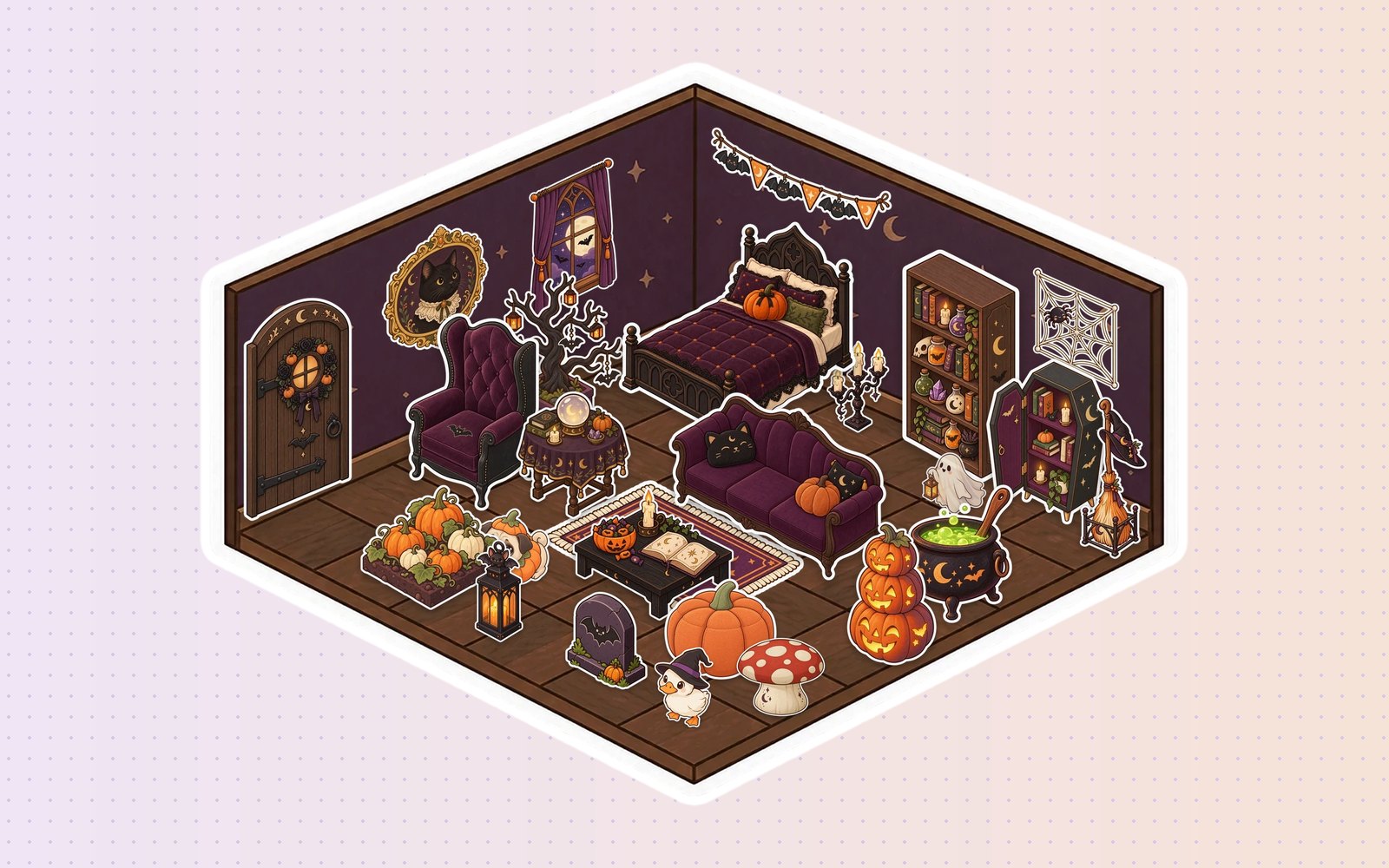
Hide something in a shared space and let your friends hunt for it whenever they wake up. In Glint, hide the little ghost sticker behind a shelf or under a rug in your room, send the room link, and see who finds it first. Leave notes in the room with clues if it takes too long.
14. Swap candy by mail
Everyone mails a small box of their local Halloween candy to someone else in the group. Open them together on a call, or record the unboxing for the people who can’t make it live. If your friends live in different countries, it doubles as a taste test of everyone’s strangest sweets.
15. Send ghost stories as voice notes
Each person records a two minute ghost story as a voice note and drops it in the group chat during the week. Listen to them in the dark, then vote for the creepiest on Halloween night.
How do you set up a virtual Halloween party?
Setting up a virtual Halloween party takes about ten minutes. Pick a date and a start time that works for everyone, then choose two or three activities from the list above. A movie plus a game is enough for most groups.
- Send the invite a week ahead. Include the time in each person’s time zone, the dress code and what to bring (snacks, a pumpkin, a candle).
- Test the links the day before. Make sure the movie, the game and the room all open without anyone having to install something at 8pm.
- Start with something easy. A costume reveal or a quick round of drawing gets everyone talking before the movie.
- Keep one surprise. A prize, a mystery guest or a candy box that arrived that morning.
If your group already uses Glint, you can run the whole night in one room: the movie in sync, the haunted room to decorate and the ghost hidden somewhere for latecomers to find.
What do you do at a virtual Halloween party?
At a virtual Halloween party you watch a scary movie in sync, play spooky games, show off costumes and do a creative activity together, like carving pumpkins or decorating a haunted room. The key is doing things at the same time rather than just talking.
What are free virtual Halloween games?
Free virtual Halloween games include Gartic Phone and skribbl.io for drawing, Kahoot! for trivia, Among Us on phones, and ghost stories told one sentence at a time. Glint is free too, including its Halloween sticker series this October.
How long should a virtual Halloween party be?
Two to three hours is the sweet spot. That’s enough for a costume reveal, a movie and a game without people drifting off. If the group is having fun, the last hour usually turns into everyone just hanging out, which is the best part anyway.
For more ideas when someone special lives far away, see our long distance date ideas and long distance games for couples.
Written by
Mario Jankovic
Mario makes Glint, a cozy browser app where friends build rooms together and hang out in them. He writes here about spending time with people you love online, and about everything new in Glint.
Follow Mario on Bluesky →Keep reading
Free Gather Alternatives in 2026 (Gather Is No Longer Free)
Gather ended its free plan on September 15, 2025. The best free Gather alternatives in 2026 for classes, communities and friends: WorkAdventure, Topia, ZEP, SpatialChat, Kosmi, Glint and more.

Games Like Club Penguin for Adults in 2026
Club Penguin closed in 2017. These games like Club Penguin work for adults in 2026: Pony Town, Habbo Origins, Hotel Hideaway, Webkinz, Palia and more cozy places to hang out.
Games Like Habbo Hotel in 2026: 12 Places to Hang Out With Friends
Games like Habbo Hotel in 2026: Habbo Origins, Hotel Hideaway, Highrise, Pony Town and more places with rooms, avatars and chat, including picks just for adults.
Want a room of your own?
Glint is free and runs in your browser. Make a room, decorate it with stickers and invite your friends.