
Release
v0.2.2 - Escape Menu, Performance Mode & Stage Pop-out
A game-style pause menu, a new performance mode for lower-end devices, pop-out windows for stage participants, and various avatar fixes.
Glint Team •
Read release
Build rooms tile by tile in Glint and decorate them with 285 stickers. Plus a free Autumn Cabin sticker pack, a sticker shop, better folders and a new dock.
 By Mario Jankovic 6 min read
 Glint is a browser app where friends build rooms tile by tile and decorate them with stickers while they hang out, talk and share things. This update, out on September 25, 2026, is the biggest one so far: room building, a sticker album with 285 stickers across 10 series, a sticker shop, better folders and a new dock. There’s still nothing to install.
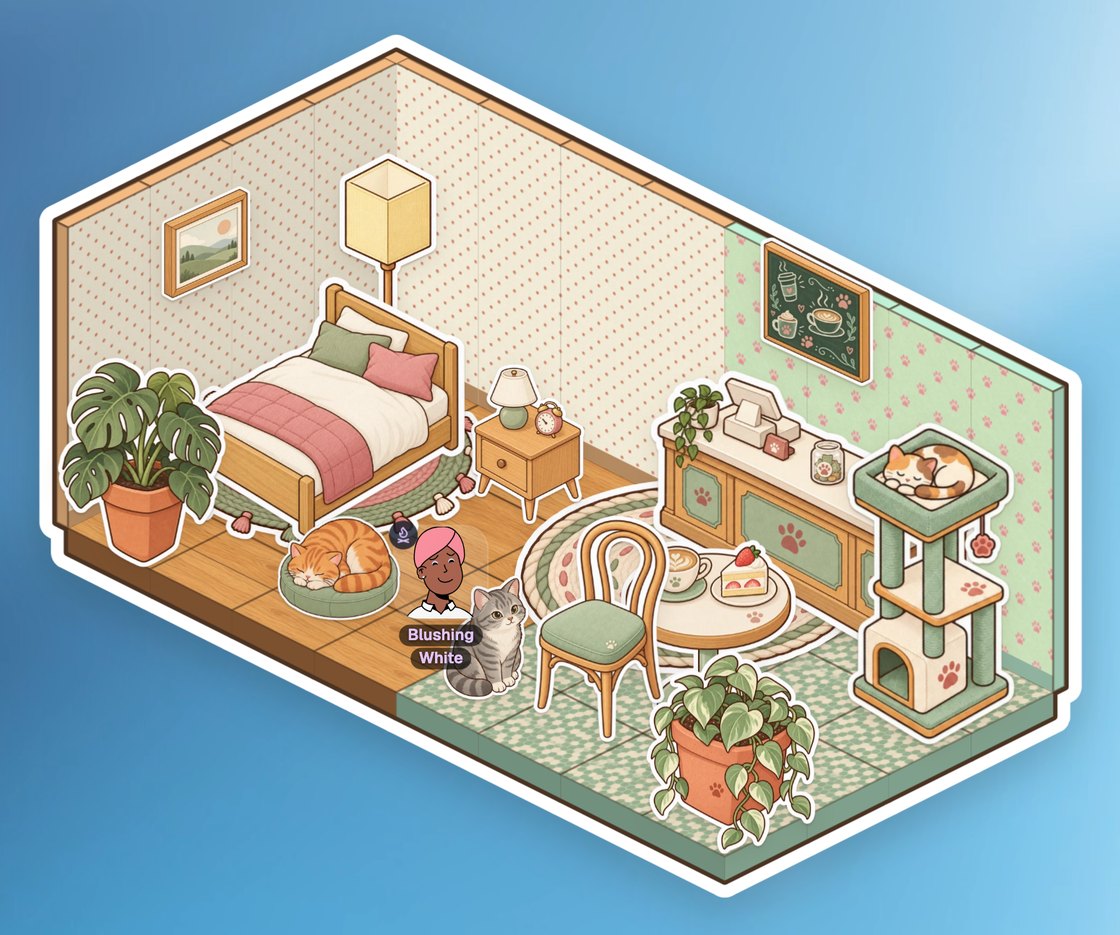
Zones, avatar anchoring and profile pictures were the three things we said were coming next. All three are in. Zones turned into something bigger: whole rooms you build yourself.
This update adds room building, a sticker album and shop, a free sticker pack, a new dock, an avatar that stays where you put it, and folders that open in their own window. Here’s where to find each one.
| Feature | Where to find it | What it does |
|---|---|---|
| Build | Press B, or the dock | Lay floor, walls and doors, one block or a whole room at a time |
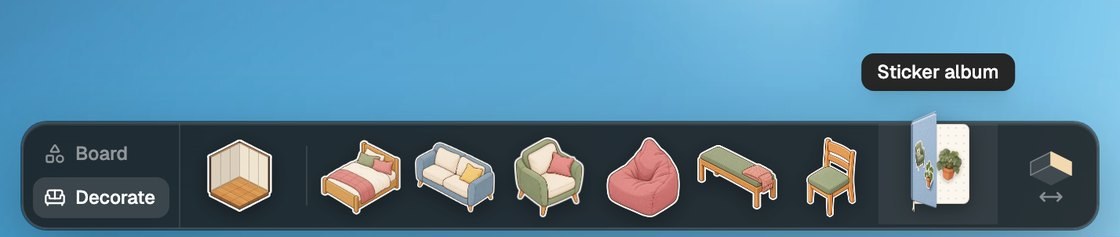
| Sticker album | Dock, Decorate tab | 285 stickers across 10 series to press into your rooms |
| Shop | Sticker album, Shop tab | Premium series for €2.99 each, or all seven for €12.99 |
| Autumn Cabin | Your present | A free series of 24 stickers |
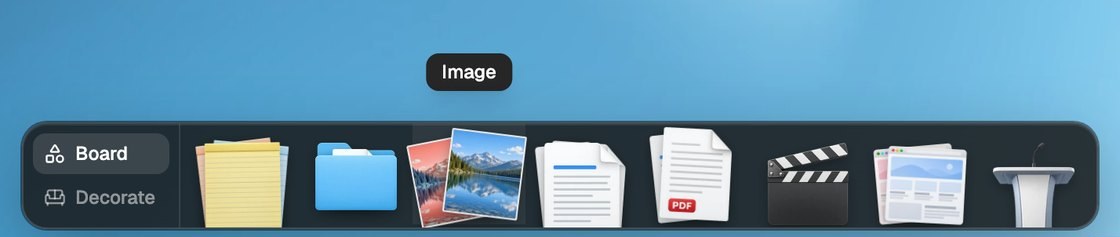
| Dock | Bottom of the screen | Everything you can add, in two tabs |
| Avatar | Double-click anywhere | Moves your avatar there and leaves it |
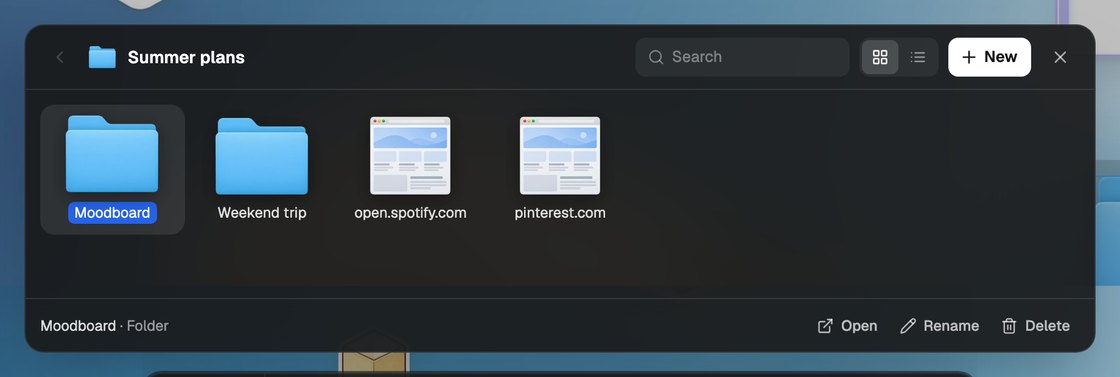
| Folders | Dock, Board tab | A window with grid and list views, search and subfolders |
You build a room by laying floor on the grid. Walls go up along its back edges and doors join it to the rooms next to it. Start with a single block and grow it, drag out any size, or drop in one of 17 ready-made room styles.
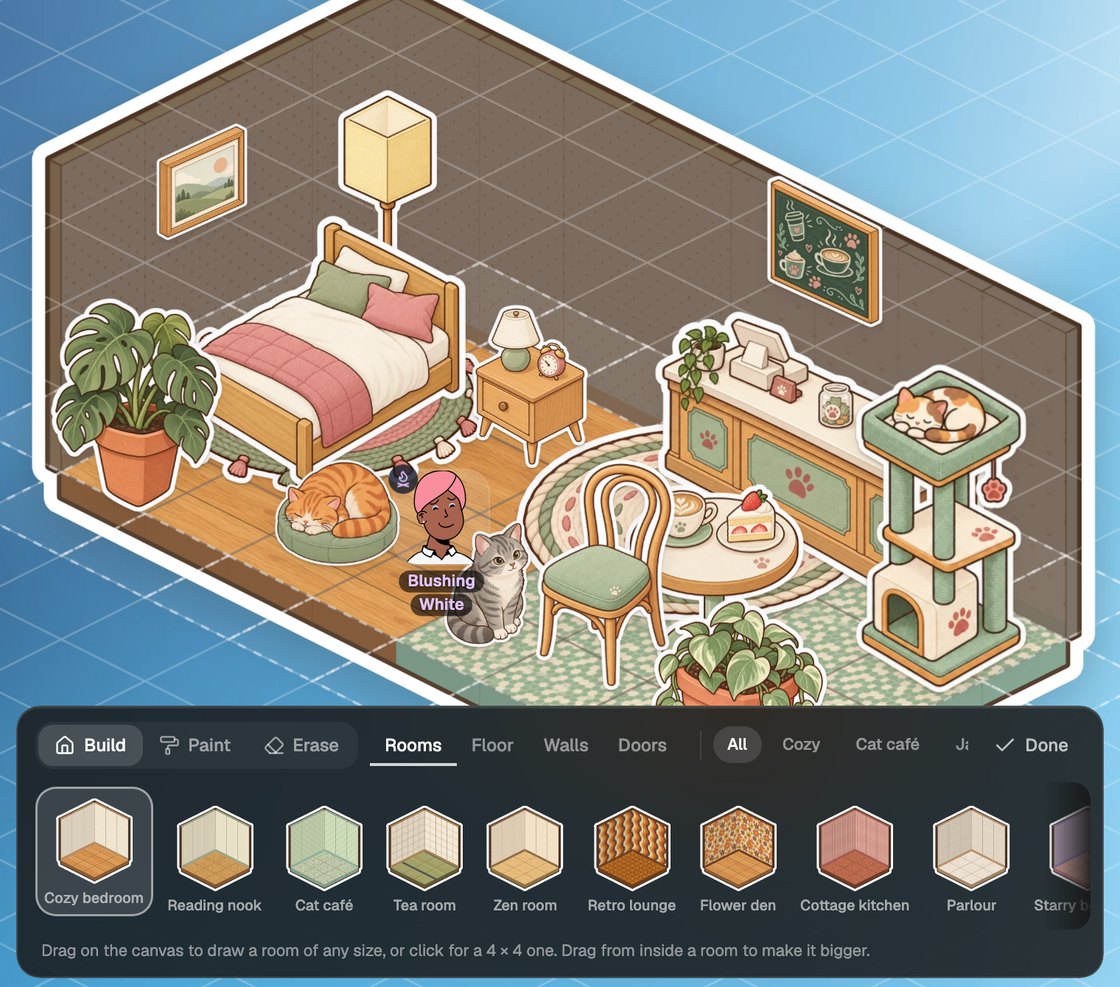
The 17 room styles include a cat café, a tea room, a library and a starry bedroom. Anything you stand on the floor or hang on a wall moves with the room when you carry it somewhere else.
The sticker album holds 285 stickers across 10 series. Cozy Basics and Cat Café are free. Every other series has 8 free stickers, and the rest of each series is in the shop.
Open the album from the dock, pick up a sticker with the tweezers, peel it off the page and press it into your room. Press F to flip a sticker so it faces the other wall.
Stickers stick to whatever they land on. A sticker on a note or a picture wraps round its edge, a lamp on a table stays on the table, and a window on a wall becomes part of the room.
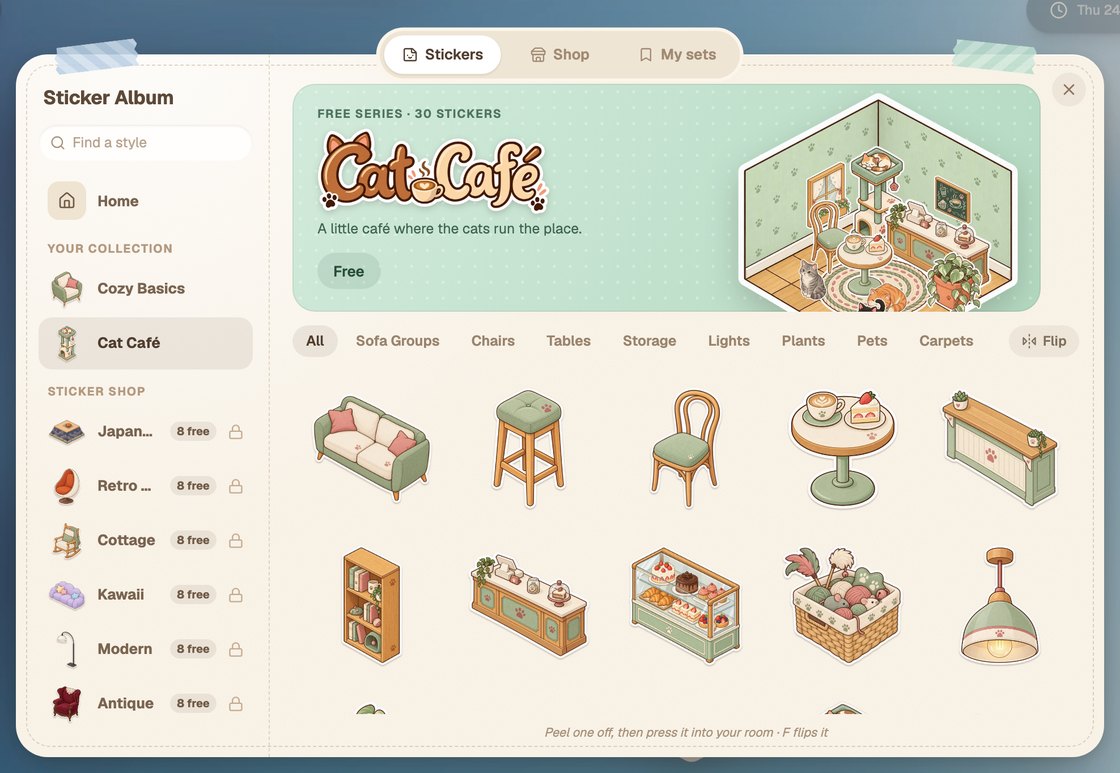
Each premium series costs €2.99, and a bundle of all seven costs €12.99. Checkout is handled by Polar, and a series you buy goes straight into your album.
| What you get | Price |
|---|---|
| One series: Japanese, Retro 70s, Cottage, Kawaii, Modern, Antique or Rattan | €2.99 |
| Cozy Homes: Cottage, Japanese and Rattan | €6.99 |
| Throwback: Retro 70s and Antique | €4.99 |
| Sweet & Modern: Kawaii and Modern | €4.99 |
| Everything: all seven premium series | €12.99 |
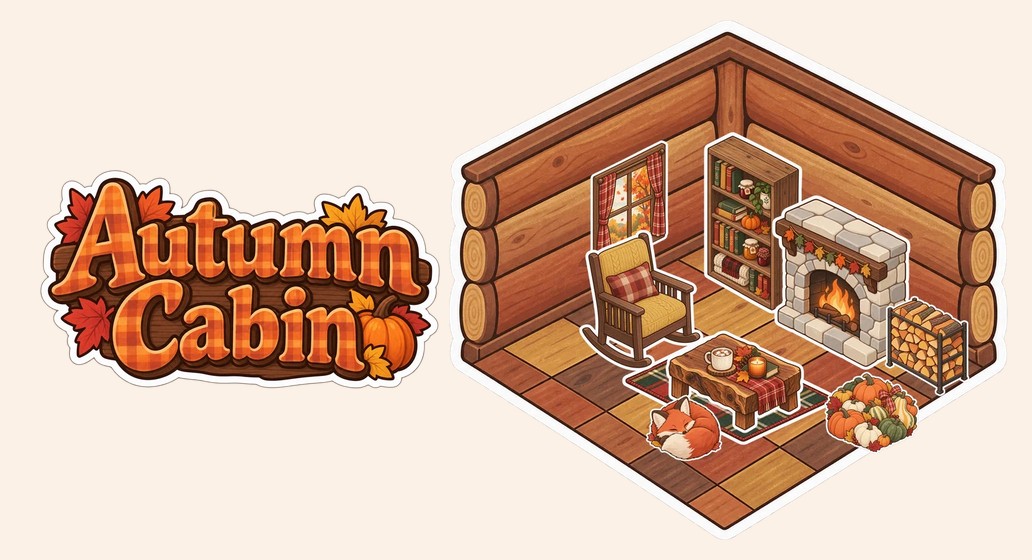
Autumn Cabin is a free series of 24 stickers, including a rocking chair, a sleeping fox, pumpkins and plaid blankets. Open your present and it opens as a gift box in Glint. If you’re signed out, sign in or create an account first and the present will be waiting.
Everything you can add is now in the dock at the bottom of the screen, in two tabs. Decorate has rooms and the sticker album. Board has notes, folders, images, docs, PDFs, videos, websites and the stage.
Your avatar no longer follows your cursor. Double-click anywhere to move it there, and it stays put while you click around, edit and decorate. If you liked the old way, turn on Follow my cursor in the menu at the top left.
Folders now open in a window with grid and list views, search, subfolders and renaming. A folder with something in it shows papers sticking out of its icon. You can drop files straight into a folder: they’re kept with the room, and only people who can get into the room can open them.
A few smaller changes came along with the big ones:
Next up are interactive stickers, like a record player that plays music or a frame that opens a link. Most of this update came from your feedback, so please keep it coming. Every past release is on the release notes page, including the escape menu and performance mode update and the day Glint opened to everyone.
Open Glint and build your first room.
Do I need to install anything to use Glint? No. Glint runs in a browser tab, so you open it and start building.
Which sticker series are free? Cozy Basics and Cat Café are free, every other series has 8 free stickers, and Autumn Cabin is free as a present right now.
How much does a sticker series cost? Each premium series is €2.99. All seven together cost €12.99.
Can friends build a room with me? Yes. Rooms are shared, so everyone in the room sees floors, walls and stickers change as you make them.
How do I move my avatar now? Double-click where you want it. To have it follow your cursor again, turn on Follow my cursor in the menu at the top left.
Written by
Mario Jankovic
Mario makes Glint, a cozy browser app where friends build rooms together and hang out in them. He writes here about spending time with people you love online, and about everything new in Glint.
Follow Mario on Bluesky →A game-style pause menu, a new performance mode for lower-end devices, pop-out windows for stage participants, and various avatar fixes.
Image link buttons, multiline document titles, better word wrapping, and smoother document rendering.
Custom backgrounds and avatars, full featured Documents, enhanced Stage collaboration with private modes, simplified workflows, and improved element management.
Glint is free and runs in your browser. Make a room, decorate it with stickers and invite your friends.